
Best Paper Choice When Printing Coloring Pages

Coloring pages can be enjoyed with crayons, pencils, markers, or even light watercolor, but the paper you choose makes a huge difference to the final result. The right paper helps colors look brighter, reduces bleed-through, and keeps pages crisp and durable.
If you’re new to printing coloring pages, you may also want to read our How to Print Coloring Pages guide, which walks you through downloading a page on our website, printer settings, sizing (Letter vs A4), and fit-to-page options. This paper guide builds on that, helping you choose the best paper type.
Before looking into the best choices for each coloring medium, here are a few important terms that will help everything make sense:
- GSM (grams per square meter): measures paper weight. Lower gsm = thinner, lighter sheets. Higher gsm = thicker, sturdier sheets.
- Surface (tooth vs. smooth): Tooth is slightly textured and grips colored pencils well. Smooth is best for markers and crisp printed lines.
- Finish: Matte is best for coloring. Glossy/coated papers can smear or resist coloring materials.
- Brightness: measures how much blue light the paper reflects. Rated from ~80–100. Higher brightness gives sharper contrast for outlines and more vivid coloring. Note that common copy paper has a brightness 92–96.
With those basics in mind, here’s how to match the paper to your coloring tools.
Paper Choice for Different Coloring Mediums
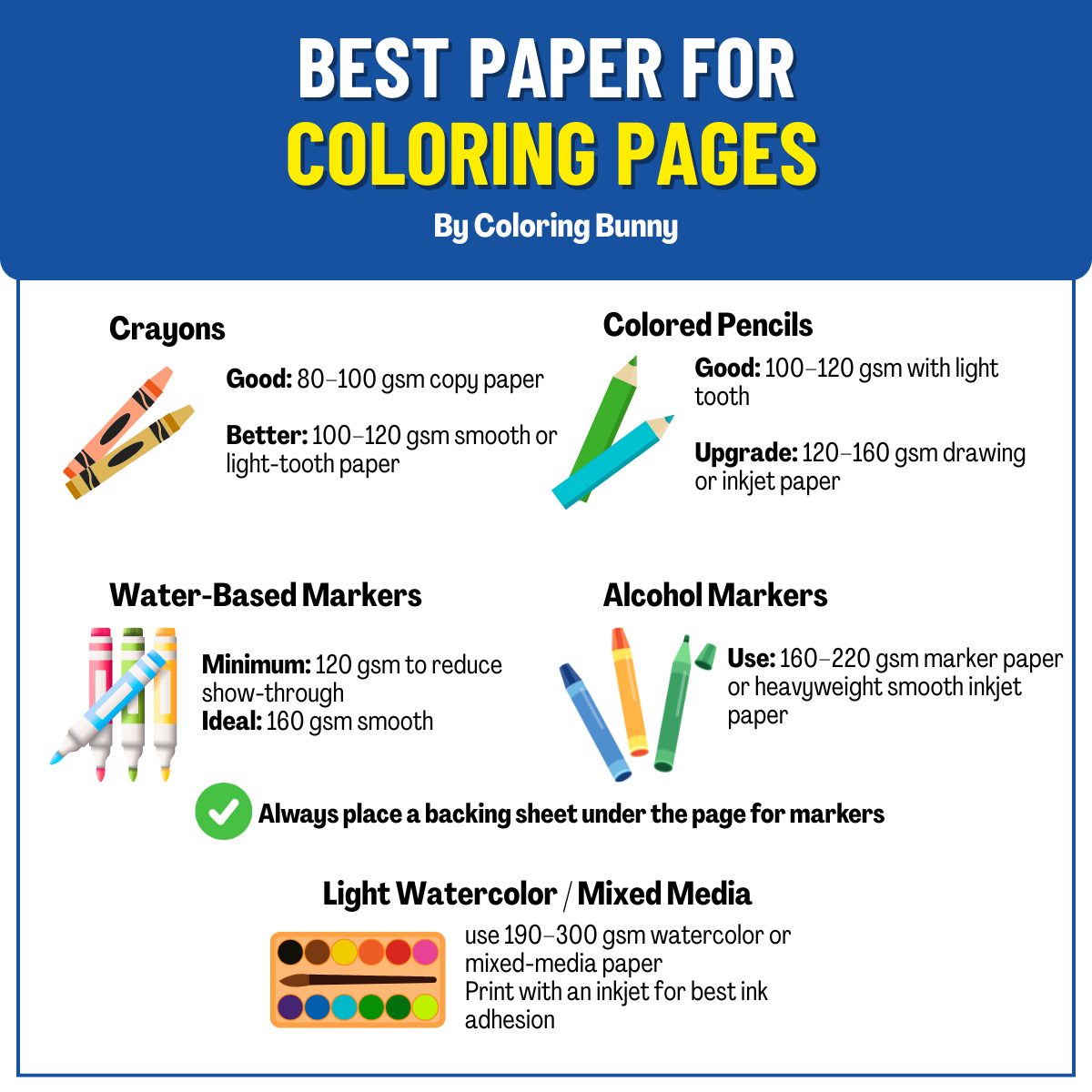
1) Crayons
- Good: 80–100 gsm copy paper (budget-friendly, classrooms).
- Better: 100–120 gsm smooth or light-tooth paper – lines stay crisp, colors blend a bit better, fewer dents.
2) Colored Pencils
- Good: 100–120 gsm with light tooth (helps pigment grip).
- Upgrade: 120–160 gsm drawing or inkjet paper; blends and burnishing look smoother.
3) Water-Based Markers (Crayola, brush pens)
- Minimum: 120 gsm to reduce show-through.
- Ideal: 160 gsm smooth; always place a backing sheet under the page.
4) Alcohol Markers (Copic, Ohuhu)
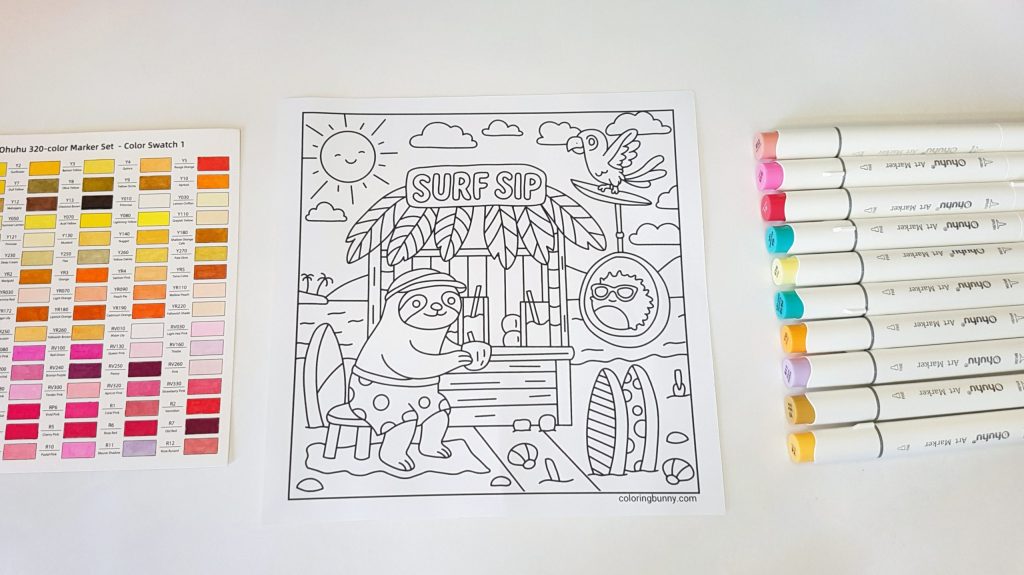
- Standard copy paper will bleed heavily.
- Use: 160–220 gsm marker paper or heavyweight smooth inkjet paper.
- Always place a backing sheet beneath.
5) Light Watercolor / Mixed Media
- For light washes or watercolor pencils, use 190–300 gsm watercolor or mixed-media paper.
- Print with an inkjet for best ink adhesion (laser printers may struggle to feed thick stock).
Printer Compatibility Tips
Inkjet vs. Laser
- Inkjet: Handles textured and thicker stocks better; great for watercolor paper and matte cardstock.
- Laser: Excellent for crisp black outlines on smooth paper, but may jam or wrinkle on thick or textured stocks.
Feeding Heavy Paper
- Use the rear or straight-through feed if your printer has it.
- In print settings, choose the correct media type (e.g., Cardstock/Heavyweight, Matte Photo) so the printer slows down and applies ink/heat correctly.
Black Line Quality
- Set Print Quality to High when outlines look faint.
- Turn “Borderless” OFF for most coloring pages to avoid edge distortion.
- Use 100% scale or Fit to Page depending on whether you’re printing Letter (8.5 × 11 in) or A4 (8.27 × 11.69 in).
Simple “Paper Test” You Can Do in 2 Minutes
- Print the same coloring page on two different papers (e.g., 80 gsm copy vs. 120 gsm premium).
- Color one area with a pencil, one with a water-based marker, and one with an alcohol marker (if you use them).
- Flip the page and check for show-through or bleed.
- Compare color smoothness and line crispness on the front.
– Choose the paper that balances look, feel, and cost for your needs.
Troubleshooting
- Ink smears (inkjet): Paper may be glossy or wrong media setting – switch to matte and select Matte/Plain in print settings.
- Paper jams (thick stock): Use the rear feed, select Heavy/Thick, and feed one sheet at a time.
- Marker bleed-through: Use heavier paper (≥160 gsm) and a backing sheet.
- Faint outlines: Increase print quality to High; enable grayscale or black only for dense lines.
Eco-Friendly Choices
- Look for recycled content papers (50–100% post-consumer waste).
- Choose FSC®-certified (or SFI-certified in North America) paper stocks to support sustainable forestry.
- Stick to matte, uncoated recycled paper – glossy coatings don’t color well.
Storage & Presentation
- Keep finished pages flat in folders or binders; avoid humidity.
- For framing, use acid-free mats and UV-safe sleeves.
- In classrooms, store in poly folders or clipboards to prevent wrinkles when sending work home.
Read more: Explore the step-by-step drawing process behind our cozy pages and the supplies we use for coloring our pages.